


-
You are here:
- Baby's Days

- System Features ▼
- System Features F to L
Fire Drills / Fire Plans
Fire Drills and Fire Plans

Shown below is detailed information and a selection of screenshots taken from the Fire Drills and Fire Plans section from both versions of the Baby's Days system.
Available on the following systems:

To view screenshots and information from other areas of the system, click on any link to the right.
Record all the Fire Drills that took place within your setting and see at a glance when the Fire Drill took place, how long the Fire Drill took, the number of children that took part and more.
Create a detailed Fire Plan for your setting complete with escape routes.
Key Areas of the Fire Drill section
A help tour is available to assist you in adding a Fire Drill to the system.
Record all the Fire Drills that have taken place within the setting with detailed information for each Fire Drill.
Record which Children and Staff members took part in each Fire Drill.
Detail the outcome of each Fire Drill and what changes, if applicable, should be made to the setting due to risks or hazards encountered.
Key Areas of the Fire Plan section
A help tour is available to assist you in adding a Fire Plan to the system.
Create a detailed floor plan of your setting.
Clearly indicate escape routes and emergency exits on each floor of the plan.
Use the simple drag, drop and rotate feature to add items to your floor plan.
Duplicate floors to make plan creation quick and simple.
AI Integration within the Fire Drills

AI – Artificial Intelligence has been integrated into the system’s Fire Drills section to make recording your fire drill faster, easier, and more professional. Simply enter the text of your fire drill outcome or provide a set of specific keywords that you would like included. The system will then analyse your input and produce a polished, well-structured version of your fire drill outcome. Using advanced AI technology, the system ensures that your concern is clear, consistent, and free of errors, while also maintaining a professional tone.
AI - Artificial Intelligence is optional on the system, if you do not want to use AI, simply turn it off within the general settings section on the system.
Screenshots and more Information
Shown below are a selection of screenshots and additional information relating to the Fire Drills and Fire Plans sections on the system.
Fire Drills Overview
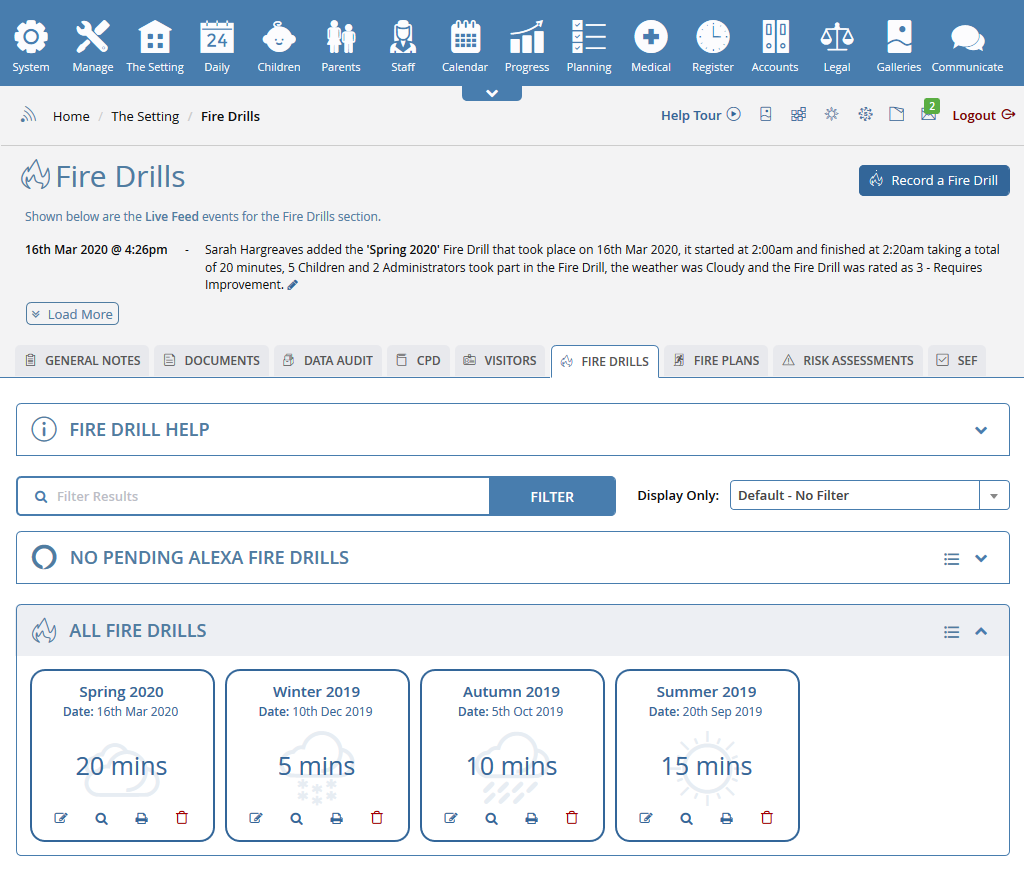
The Fire drill overview page gives you a breakdown of each Fire Drill that took place within your setting and was recorded on the system, see at a glance when the Fire Drill took place, how long the Fire Drill took, the number of children that took part and more.
Create a Fire Drill
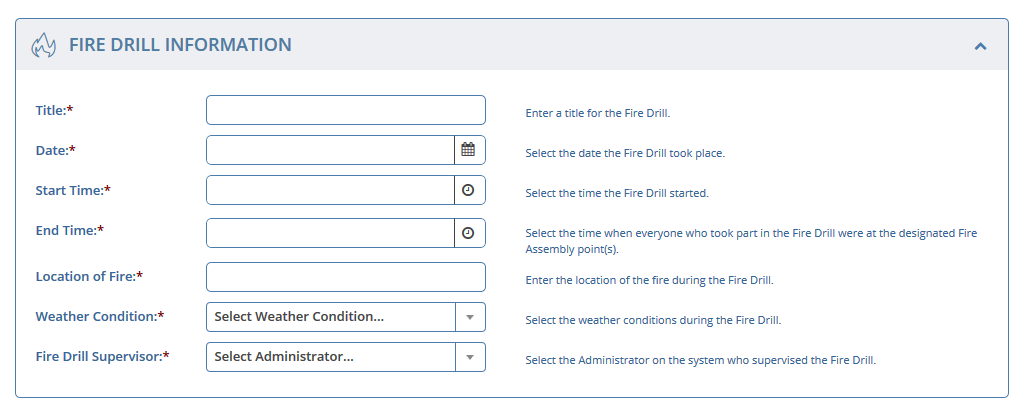

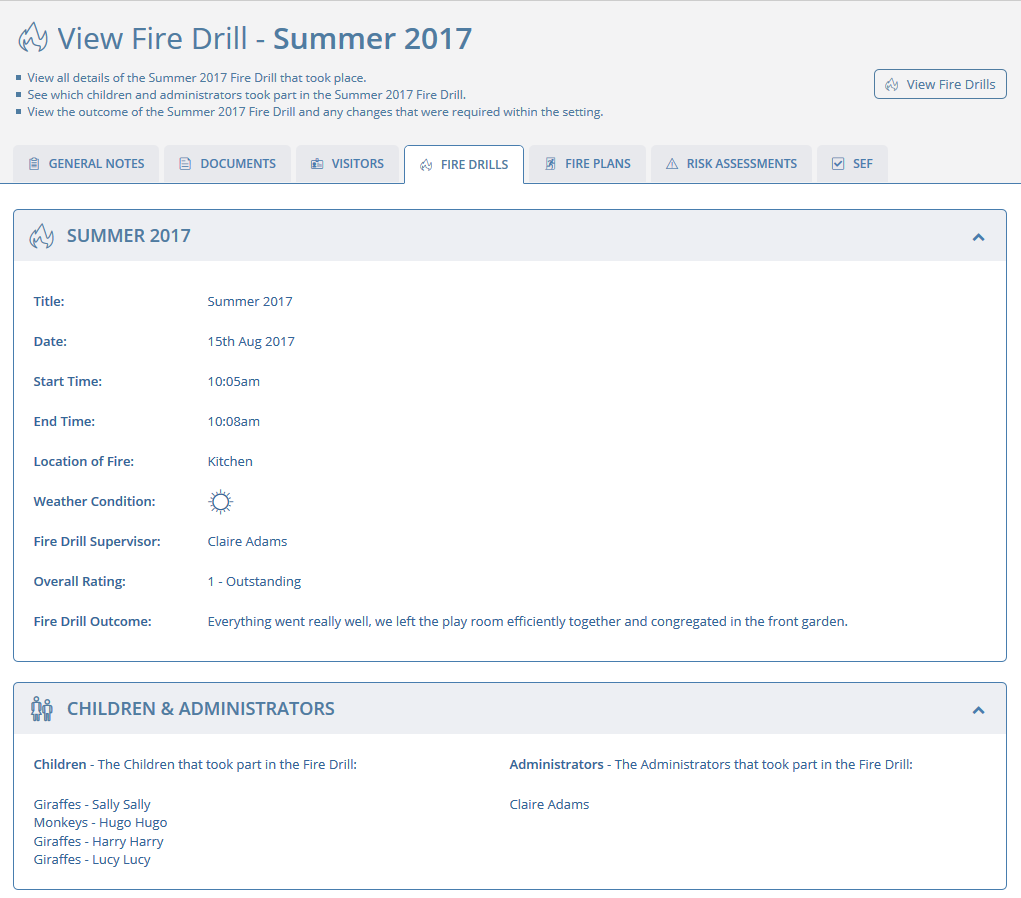
For each Fire Drill you record on the system you can record the following information:
Title - ie: Summer or Winter Fire Drill
Date
Start Time
Finish Time - The time when everyone who took part in the Fire Drill were at the designated fire assembly points.
Location of Fire
Weather Conditions
Fire Drill Supervisor
You can select which children and administrators (staff) took part in the fire drill.
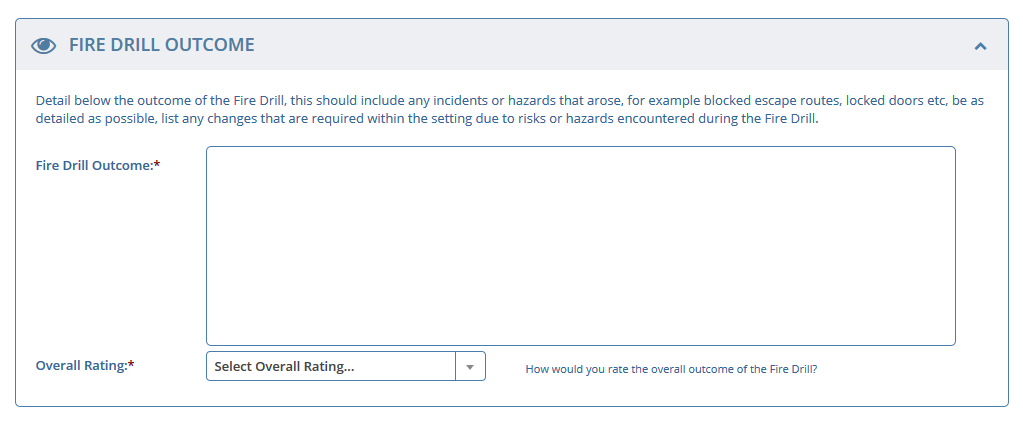
Finally you can record the outcome of the Fire Drill detailing any incidents or hazards that arose, for example blocked escape routes, locked doors etc, you can also list any changes that are required within the setting due to risks or hazards encountered during the Fire Drill.
Fire Plans Overview
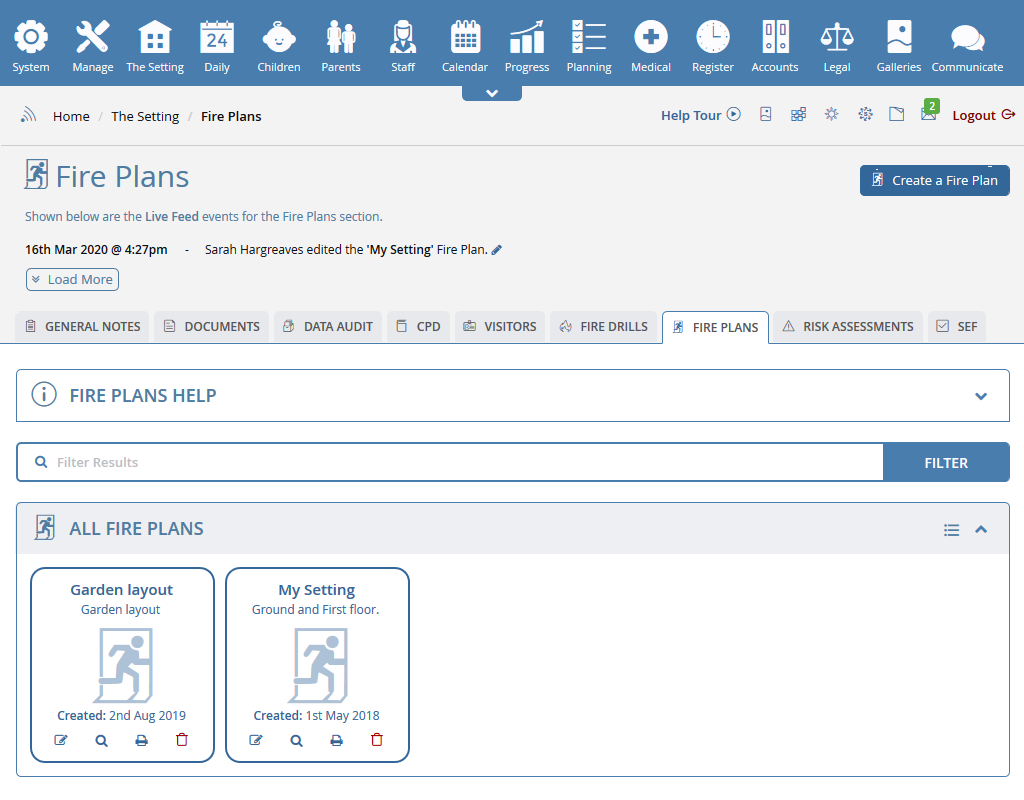
The Fire plan overview page gives you a breakdown of each Fire Plan that has been created on the system.
Create a Fire Plan

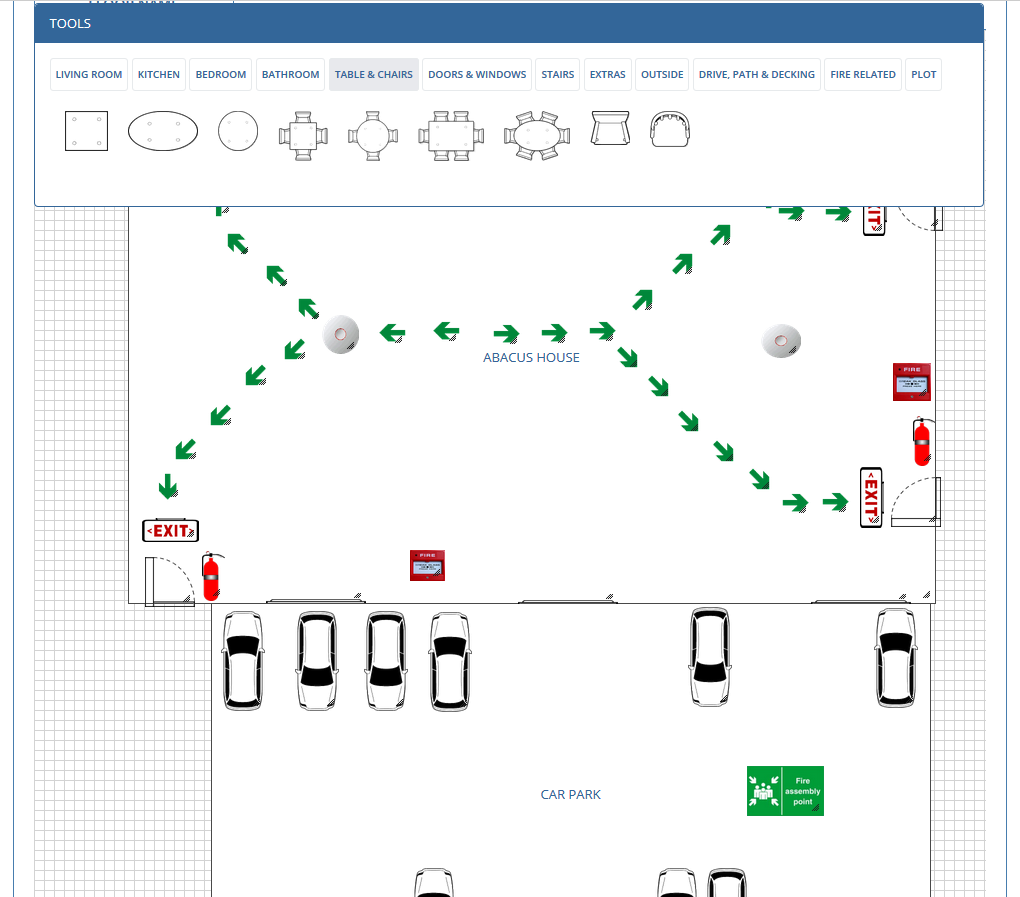
Creating a Fire Plan for your setting is a simple procedure on the system, simply plot the rooms within your setting and then drag, drop, resize and rotate a selection of pre provided images into your rooms, within a few minutes you will have created a floor plan of your setting, if your setting has multiple rooms, you can duplicate one floor's layout to another floor saving you having to recreate the layout of each new floor.
Once you have finished designing your floor plan you can plot the escape routes for your setting and print it off to display the Fire Plan within your setting.
 2 Year Check
 Accounts / Bookkeeping
 Achievement Search
 Administrators
 Assistant's Register
 Attendance Register
 Authorised Persons
 Birthdays
 Bottle Feeds
 Bulk Download
 Bulk Photographs
 Calendar
 Care Plans
 Children
 Children's Notes
 Colour Schemes
 Communicate
 Compliments and Complaints
 Concerns
 Contracts
 Control Centre
 CPD Log
 Daily Actions
 Daily Checklist
 Daily Diary
 Daily Notes
 Data Audit
 Document Upload
 EY Outcomes Search
 Evacuation List
 Fire Drills / Plans
 First Aid Boxes
 Food Menus
 Food Menu Helpers
 Import / Export
 Included Sections
 iSign
iSign Leaving Children
 Medical
 Next Steps - England
 Observations - England
 Occupancy Levels
 Parental Access
 Permissions
 Personalise
 Photograph Galleries
 Photograph Collage
 Planning - England
 Policies
 Progress / Learning
 Progress Statistics
 Progress Tracker
 Questionnaires
 Quick Notes
 Risk Assessments
 Rooms
Rooms Room Move Children
 SEF - England
 Sleep Monitor
 Starting / Baseline
 Suncream Monitor
 Temperatures
 Termly Reports
 Toileting Monitor
 Vaccinations
 Video Galleries
 Visitor's Log
 Waiting List
 Wellbeing / Achievements


Follow Us

Click an icon below to see a system feature
With over 100 available features on every Baby's Days system, select one below that you'd like to read about first.





















































THE ONLY THING WE CAN'T DO IS DECIDE WHICH PACKAGE IS BEST FOR YOU